Best Productivity Apps for 2026
Contents
Introduction
Productivity apps have evolved from simple to-do lists into sophisticated ecosystems designed to streamline workflows, enhance collaboration, and help us focus on what truly matters. Whether you're a student juggling assignments, a professional managing complex projects, or simply someone looking to bring more order to your personal life, the digital market in 2026 offers a solution tailored to your needs.
The purpose of this article is to navigate the crowded landscape of productivity tools and help you select the most suitable apps for your specific goals. We will explore the best productivity apps across various categories, from task management to deep focus, providing a comprehensive app comparison to empower your decision-making.
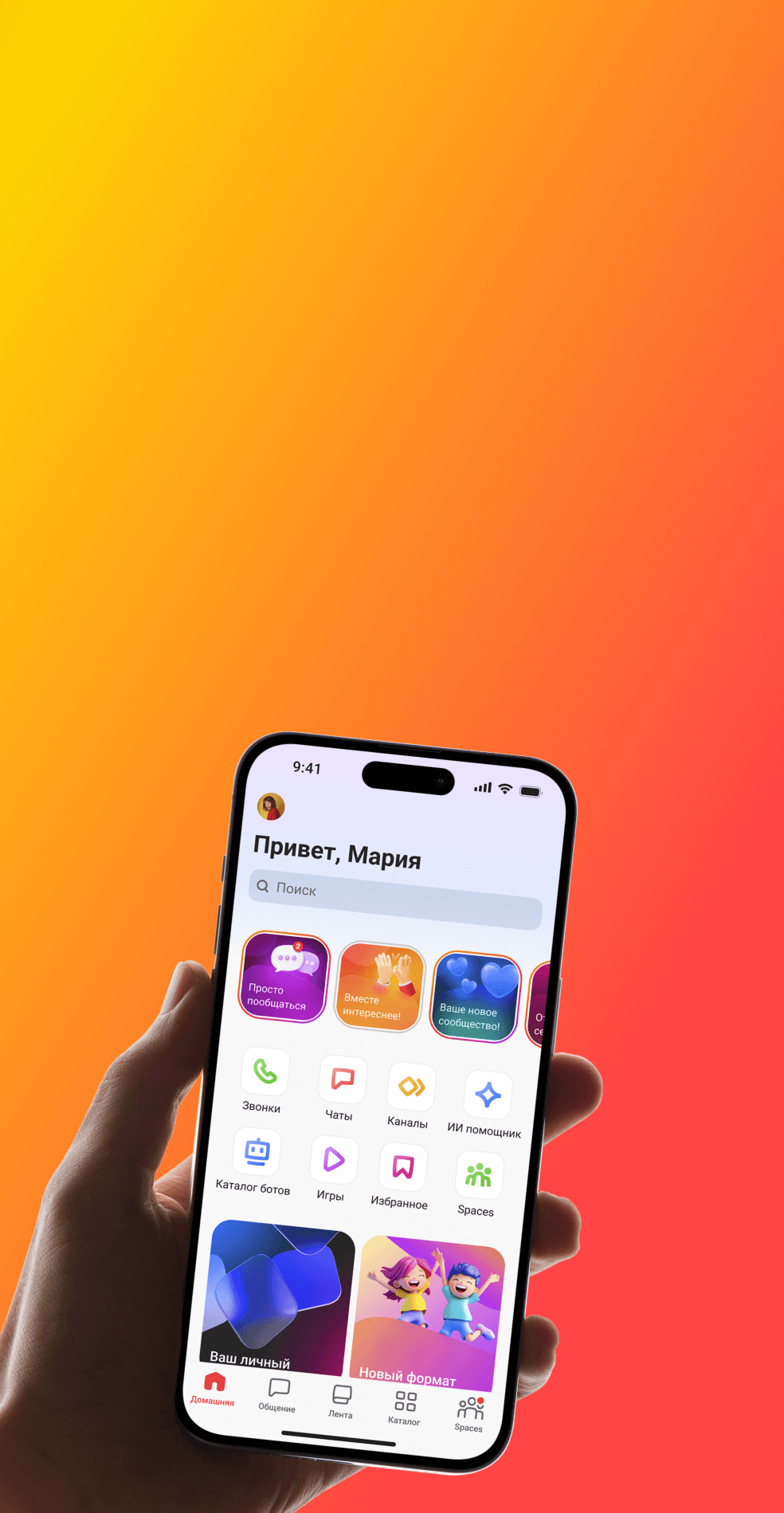
Gem Space - all the tools for work in one application!
Top Productivity Apps Overview
To help you find the perfect fit, we've curated a list of the 12 best productivity apps for 2026. This selection covers a wide range of functionalities essential for modern efficiency:
Task Management: Trello, Asana, Todoist
Note-Taking: Notion, Evernote, Microsoft OneNote
Collaboration & Communication: Slack, Microsoft Teams, Gem Space
Time Management & Focus: Forest, Focus@Will, Pomodone
Each of these applications offers unique features designed to tackle different aspects of productivity, ensuring there's a powerful option for every user.
Task Management Apps: Trello, Asana, Todoist
Task management is the productivity secret. Task management apps help you organize tasks, add deadlines, and keep track, so nothing falls through the cracks.
Trello: The Visual Kanban Favorite
Trello is celebrated for its highly visual and user-friendly interface, which utilizes a straightforward board, list, and card system for project collaboration. Its simplicity has made it a favorite for individuals and small teams seeking a clean, Kanban-style workflow. Key features include a drag-and-drop interface, the "Butler" automation tool for creating custom rules and commands, and Power-Ups for integrating with popular apps like Slack and Google Drive. The platform is accessible across Web, Windows, macOS, iOS, and Android.
Trello offers a generous Free plan with up to 10 boards per workspace. The Standard plan is $5 per user/month (billed annually) and includes unlimited boards, while the Premium plan is $10 per user/month, adding powerful views like Timeline, Calendar, and Dashboard. While it is extremely easy to learn and highly visual, it can become disorganized with highly complex projects and lacks some advanced reporting capabilities.
Asana: The Heavy-Duty Project Organizer
Asana is a more comprehensive project management tool designed to support teams of any size, offering a wide array of features to plan, organize, and execute team projects from start to finish. It prioritizes simplicity and accountability and provides multiple ways to view a project, including List, Board, Timeline, and Calendar. Other advanced features include detailed reporting, workload management, and a Workflow Builder for automating repetitive tasks.
Asana has a Personal Free plan for up to 10 users with basic features. Paid tiers start with Starter at $10.99 per user/month (annual subscription), which unlocks Timeline views and the workflow builder. The Advanced plan is $24.99 per user/month, adding portfolios and workload tracking. It is feature-packed and powerful but comes with a steeper learning curve and can be very expensive for larger organizations. It is available across Web, Windows, macOS, iOS, and Android.
Todoist: The Minimalist Task Manager
Todoist excels at personal and small-team task management through its clean, minimalist interface. It is optimized for rapidly creating and organizing tasks, a function made simple by its natural language input, which allows users to type "Call Jane every Monday starting next week" and have the task set correctly. Features include recurring due dates, task priority levels, and fun productivity visualizations like karma points.
The Beginner Free plan allows up to 5 personal projects. The Pro plan is $4 per user/month (billed annually) for power users, offering reminders and 300 projects, while the Business plan is $6 per user/month for teams. Todoist boasts excellent cross-platform support, including Apple Watch and browser extensions. While its interface is simple and fast, its collaboration features are not as robust as its competitors, and some key features, like reminders, are locked behind a paywall.
Note-Taking Apps: Notion, Evernote, Microsoft OneNote
In the information age, capturing and organizing knowledge is crucial. Note-taking apps provide a digital space for your thoughts, research, and important information, keeping it accessible whenever you need it.
App | Best For | Starting Price |
Notion | Creating an all-in-one workspace | Free |
Evernote | Powerful search and organization | $10.99/month |
Gem Space | Integrated team collaboration and AI | Free |
Notion: The All-in-One Workspace
Notion is not just a note-taking application; it is an all-in-one workspace intended for writing, planning, and collaboration. Its strongest aspect is its flexible, block-based design, which allows it to be easy for individuals to build customized pages, solid databases with different views (e.g., table, board, calendar, or gallery), and collaboration wikis. The platform editor accommodates multiple content blocks from text and images up to tables. Collaboration is one of the main characteristics, as is the presence of an enormous library of community-created templates. A good web clipper should also enable users to save online content with ease.
Pricewise, Notion is Free to individuals, though teams are limited by a 1,000-block cap. For those needing more, the Plus option is $10 per user/month (annual billing) for unlimited blocks, while Business is $15 per user/month, with additional security and admin functions.
Evernote: The Trustworthy Capture Tool
Evernote has led the way in note-taking for years, and it's famous for its powerful organization and powerful search. It's designed specifically to capture anything from a passing idea to a detailed research project. Note-taking is versatile with text, images, audio, and attachment support, and a search engine powerful enough to locate even text in images and handwriting. It features a web clipper to clip web pages for saving offline and allows easy task management in documents and notes and scanning documents.
Evernote's fundamental service is only accessible on two gadgets and with 60MB of monthly upload capacity. The Personal plan is $10.99/month, with more features and storage expanded, and the Professional plan is $17.99/month, with more advanced capabilities such as CRM integration and task assigning.
Microsoft OneNote: The Flexible Digital Notebook
Microsoft OneNote is an innovative free-form electronic notebook that offers a very flexible way to capture and structure information. Because of its intimate integration with the Microsoft 365 platform, it is well-suited for current Microsoft customers. The overall architecture is a flexible canvas where users can type, draw, or handwrite anywhere on the page without structure, with an obvious hierarchical structure through notebooks, sections, and pages. Further features include the ability to record and transcribe from audio.
One of the best things about OneNote is its price: it's completely free to use on any platform with a Microsoft account. Any additional features are typically unlocked by a stand-alone Microsoft 365 subscription.
Certainly! Here is the comparison of Slack, Microsoft Teams, and Gem Space rewritten into a cohesive text format.
A Comparison of Modern Team Collaboration Apps
For any successful team, seamless communication is essential. Team collaboration apps act as centralized hubs for conversations, file sharing, and app integrations, ensuring everyone stays synchronized. The following are three of the leading productivity apps designed for modern teamwork.
Slack: The Channel-Based Pioneer
Slack revolutionized business communication by popularizing the concept of a channel-based messaging platform. It organizes discussions into specialized spaces for specific topics, projects, or departments, significantly reducing the reliance on email. Key features include organized public and private channels, direct messaging, and native audio and video calls. A huge advantage is its vast directory of integrations and its Workflow Builder, which allows teams to automate routine communication.
Regarding pricing, the Free tier provides 90 days of message history and 10 app integrations. The Pro plan, at $7.25 per user/month (billed annually), offers unlimited message history and integrations. For advanced security and compliance, the Business+ plan is available for $12.50 per user/month (annual subscription).
Microsoft Teams: The Microsoft 365 Integrator
Microsoft Teams is a comprehensive collaboration platform that naturally combines chat, video conferencing, file storage, and app integration. Its close ties to the Microsoft 365 ecosystem make it the go-to choice for companies already invested in Microsoft products. Its features include persistent chat, meetings, and calls, deep integration with Microsoft 365 apps like Word, Excel, and SharePoint, support for large meetings and live events, and extensive file storage capabilities. It is also highly extensible and customizable with various apps and workflows.
Teams offers a Free version for individuals and small teams. Paid options include Microsoft Teams Essentials at $4 per user/month (annual billing) and Microsoft 365 Business Basic at $6 per user/month, which also provides web and mobile versions of Office apps.
Gem Space: The AI-Powered Superapp
Gem Space positions itself as a next-generation superapp that blends secure communication with powerful AI-based productivity tools. It creates a single, unified digital environment for both work and personal use, extending far beyond simple chat. As a superapp, it provides a single platform for messaging, collaboration, content discovery, and AI assistance. Its unique selling point is the integration of AI assistants (developed on a concept similar to ChatGPT) that enable users to generate text, find answers, and automate functions directly within their communication hub, making it one of the most cutting-edge collaboration apps of 2026.
Its main features include secure chats, channels, and communities, integrated AI for content creation and task automation, smart news feeds based on user interests, and high-capacity video conferences for up to 1,000 users. Gem Space offers a free tier with robust features, with additional paid business and power-user plans available for those needing expanded capabilities.
Time Management/Focus Apps: Forest, Focus@Will, Pomodone
Focus apps utilize a variety of cutting-edge methods, such as gamification and neuroscience, to assist users in staying focused and achieving their peak productivity. Focus apps are a must-have in any electronic productivity arsenal.
Forest: The Gamified Focus App
Forest approaches productivity in an innovative way by gamifying concentration. When a user wants to focus, they "plant" a virtual tree. The tree is cared for as they are in the app and focused but, distracted and leave the app, their virtual tree expires and withers. This gentle tactic inspires users to remain on track and, over time, allows them to grow a virtual forest of productive sessions. Beyond the virtual world, Forest partners with an actual-tree-planting business to plant actual trees on Earth. The app also has a focus history tracker and offers customizable allow-lists for essential work apps.
Forest is a one-time purchase as an iOS app for $3.99. It's free with ads on Android, with a Pro version available for purchase.
Focus@Will: The Neuroscience Approach
Focus@Will is an application that utilizes scientifically optimized music and soundscapes uniquely designed to enhance focus and minimize distractions. It applies neuroscience principles in choosing sounds to help the brain enter a flow state. It features a wealth of library focus music in multiple genres, a productivity monitor, and a session timer. It even offers individualized audio streams based on the personality type of the user and has offline mode support.
Focus@Will offers a free trial, with subscriptions typically between $9.99/month.
Pomodone: The Classic Technique Integrator
Pomodone is an app created entirely on the basis of the Pomodoro Technique, a popular time management technique. The method uses a timer to divide work into well-structured intervals (typically 25 minutes) with short breaks between them. Pomodone provides the typical Pomodoro timer with variable interval lengths. Its greatest strength is that it can be integrated into well-known task management software like Trello, Asana, and Todoist, enabling users to automatically track time spent on a particular task. It also includes a browser extension for website blocking distracting sites.
Pomodone offers a Free plan with basic timer functionality. The Pro version, which enables full support for integration and more advanced capabilities, begins at $2.50 per month (annually billed).
How to Choose the Right Productivity App
With so many options, finding the right app can be daunting. Here are some factors to consider in your app comparison.
Match apps to goals: personal vs. team productivity
First, define your primary need. Are you organizing your personal life or coordinating a team project? Tools like Todoist and Forest are excellent for individual use, while Asana and Microsoft Teams are built for team collaboration.
Consider platform compatibility and integrations
Ensure the app works seamlessly across all your devices (desktop, tablet, phone). Also, consider how well it integrates with other tools you already use. An app that connects to your calendar, email, and cloud storage will save you significant time.
Tips for evaluating free vs. paid versions
Start with the free version whenever possible. This allows you to test the core functionality and user interface. Upgrade to a paid plan only when you consistently need features that are locked behind the paywall. Ask yourself if the premium features will provide a return on investment through saved time or increased output.
Tips for Maximizing Productivity with Apps
Simply downloading an app isn't enough. To truly benefit, you need to integrate it into your daily habits.
App combination strategies
No single app does everything perfectly. A powerful strategy is to combine apps. For example, use Asana for high-level project planning, Slack for daily communication, and Notion for building your team's knowledge base. This creates a synergistic productivity system.
Automation and workflow optimization
Take advantage of automation features. Use Trello's Butler or Asana's Rules to handle repetitive tasks, like moving cards or assigning work. This frees up your mental energy for more important activities.
Tracking productivity progress
Use the analytics and reporting features within your apps to monitor your progress. Todoist's Karma and Asana's dashboards can provide valuable insights into your work habits, helping you identify areas for improvement.
FAQ
Are productivity apps worth the money?
That depends on your needs. A free alternative is sufficient for most. But if an app's paid functionality saves you a lot of time, reduces your stress levels, or allows your team to collaborate more effectively, it can be well worth the investment.
Can I integrate several productivity apps into my workflow and be effective using them?
Yes. The secret is to have a clear reason for every app so that they don't overlap and get confused with each other. For example, use one app for tasks and another for notes. Most excellent productivity apps are designed to complement each other.
What app is best for team collaboration?
For large-scale project management, Asana is a robust contender. For communication, Slack and Microsoft Teams dominate the market. For an integrated solution with AI-powered features, Gem Space is a growing leader among team collaboration tools.
Are offline productivity apps available?
Yes, the majority of apps, including Evernote, Todoist, and Microsoft OneNote, have offline mode. You can work offline on your tasks and notes, and synchronize changes when you connect online.
Conclusion
The world of productivity apps in 2026 is rich and varied, offering robust solutions to nearly any challenge. Whether it's organizing complex team projects with Asana, scribbling fleeting ideas with Notion, and remaining in intense focus with Forest, there's an app designed to get the most out of your productivity. The rise of all-purpose superapps such as Gem Space only adds to a trend toward unified, AI-driven virtual spaces.
The most important thing is to figure out your own needs and play around. It's okay to try out a couple of things and see what works for your workflow. The most successful productivity apps are the ones you use every day. If you invest in them carefully and make good habits out of them, you can unlock greater amounts of focus, organization, and success.