Gem Space: A Complete Overview of Its Features
Contents
Messengers stopped being just apps for texting a long time ago. We chat with friends in one place, read creators in another, take work calls in a third, and still need several more apps for communities, files, and useful services.
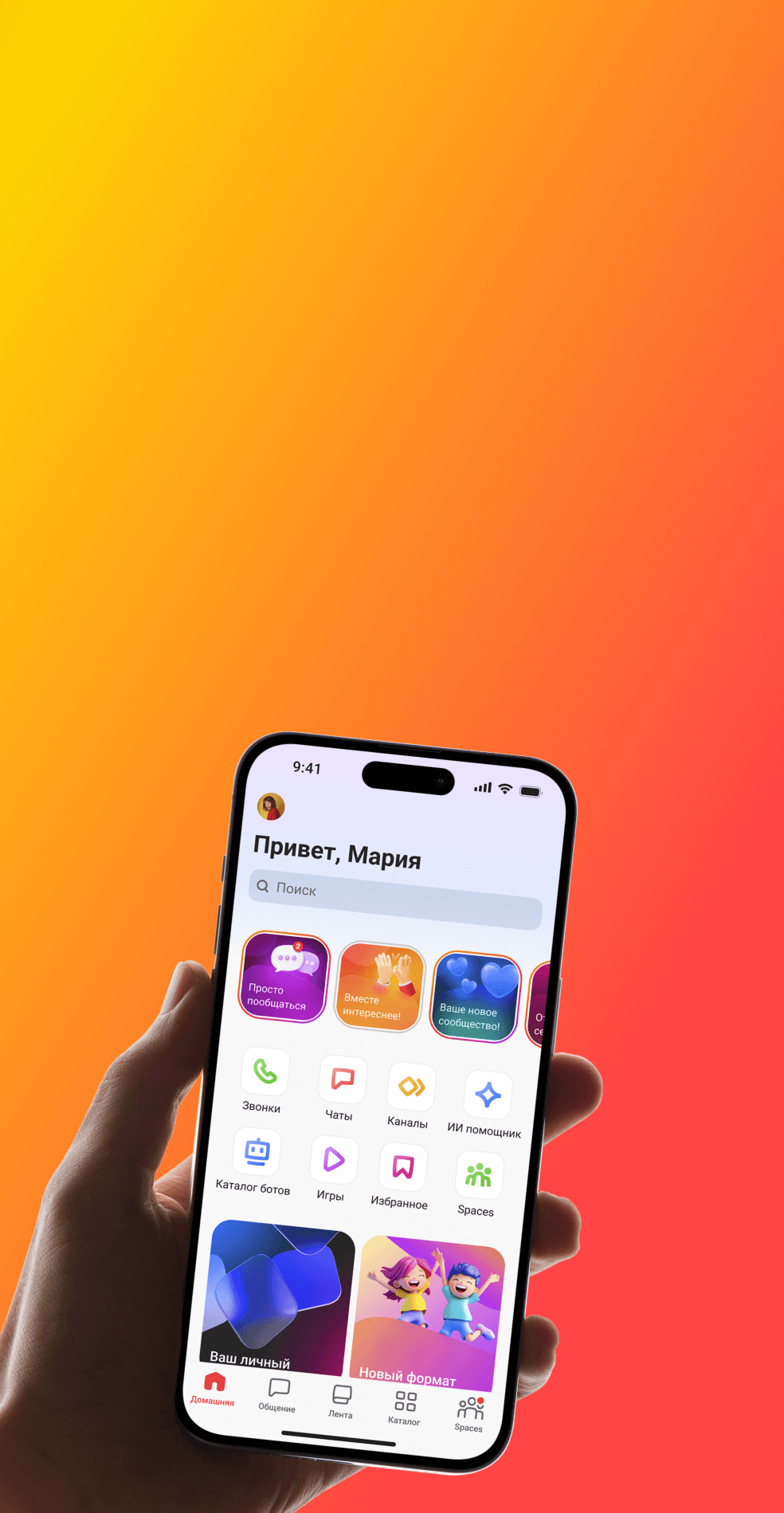
Gem Space brings these scenarios together on one platform. It has the familiar messenger experience with calls, but around it there is a full ecosystem: channels, a smart feed, Spaces communities, bots, and a mini app catalog.
Gem Space has already passed 44 million installs and is used in more than 125 countries. Let’s take a look at what is inside the app and what tasks it can help with.
Gem Space - all the tools for work in one application!
Messenger: private and group chats
At its core, Gem Space is a full-featured messenger for everyday communication.
You can chat one-on-one or in groups, send photos, documents, stickers, voice and video messages, react to messages, and edit messages after sending them.
There is also search, message translation, and voice message transcription. Transcription is especially useful when you receive a long voice message during a meeting, on public transport, or simply at a moment when playing audio is inconvenient.
Gem Space Premium expands the experience for active users. With a subscription, for example, you can transcribe voice messages without limits, pin any number of important chats, and send files with no size limit. Premium also lets you hide your online status and choose who can send you voice and video messages.
At the same time, regular messages, calls, and the main Gem Space features remain available without a subscription.
Audio and video calls
You can start an audio or video call directly from a chat, or create a group conference for a team, a class, or a large community.
A single call can host up to 300 participants. Users can join from a phone or computer, share their screen, and use Gem Space for personal conversations, work meetings, classes, and large group calls.
Another useful scenario is joining by link. The person does not need to be in your contacts in advance: you can simply send them a call link. With Premium, guests can join without registering in Gem Space.
Premium also removes call duration limits and adds Full HD for conferences hosted by the subscription owner. For even larger formats, there are Webinar Rooms for up to 1,000 participants, such as lectures, presentations, and online events.
This creates a convenient flow for an expert or a small team: agree on something in chat, switch to a call, share a screen, send materials, and continue the discussion in the same place instead of spreading communication across several services.
Smart feed: more than messaging
Gem Space is useful even when you do not need to message anyone.
The app has a smart feed with posts from channels and recommendations. Users choose topics they are interested in, follow creators and communities, and algorithms help them discover new videos and articles.
This makes Gem Space both a messenger and a platform for publishing and content discovery.
For users, it is a way to read interesting sources in the same app where their chats are. For creators, it is another chance to reach a new audience that has not subscribed to their channel directly yet.
Channel catalog
Users can find interesting channels through a dedicated catalog.
It includes different categories:
News, Blogs, IT and Technology, Entertainment, Science and Education, Music, Books and Literature, Beauty and Health, Travel, Art and Photography, Sports, Food, Games, Finance, and Other.
This is especially important for new users. You do not have to join Gem Space with a ready-made list of creators you already know. You can open a category you like and see what is already available on the platform.
For channel owners, the catalog works in the opposite direction. It becomes another place where a potential subscriber can discover a blog, media project, or themed channel.
Spaces: supergroups inside Gem Space
One of Gem Space’s key features is Spaces.
The easiest way to understand a Space is to think of it as a supergroup that contains several separate areas for communication.
Each Space has its own page with a name, avatar, cover image, and description. You can also add contacts and external links there.
But the main part is inside.
For example, a community owner can create one channel for news, another for useful materials, and several chats for different topics. All of them remain part of one Space.
This way, a large group does not turn into one endless stream of messages.
An online school, for example, can have the following inside one Space:
a channel for announcements;
a channel for learning materials;
a general student chat;
a separate chat for each group;
links to the website and social media;
a project description and contact details.
A gaming community would have a different structure: news, game discussions, team search, and an off-topic chat.
A creator could use a Space for posts, a main subscriber chat, and separate discussions by interest.
Spaces can be public or private, and users can join them through invitations as well. Inside a Space, admins can assign roles and moderate the community. One Space can bring together thousands of people.
Why Spaces are especially useful for creators
For a creator, publishing a post is usually not enough.
They need a place to gather their audience, talk to them, store important information, host live sessions, and give subscribers a clear entry point into all their projects.
In Gem Space, all of these scenarios can be built around one Space.
A creator publishes materials in channels, the audience discusses them in chats, new users discover the project through the catalog and recommendations, and audio or video calls can be used for live communication.
The Space itself becomes the community page: it shows the description, contacts, and external links.
For example, a fitness trainer can run a channel with exercises, create a chat for clients, and add a link to their website. A teacher can publish materials, divide students into chats, and hold classes via video call. A large blogger can separate news, discussions, and themed communities instead of putting everything into one overloaded chat.
Gem Space does not require creators to build a separate technical infrastructure around their blog.
Bots: translation, stickers, posts, and more
Another section of the Gem Space catalog is bots.
They add small tools for specific tasks directly inside the app.
For example, GemAIBot helps generate and translate texts, write code, and handle everyday tasks.
TranslateBot is useful for translating chats, news, or long publications.
StickerBot turns images and photos into stickers. You can use it just for chatting or, for example, create a sticker pack for your own community or brand.
CardsBot helps create greeting cards with backgrounds and wishes.
WelcomeBot introduces new users to Gem Space features.
For creators, ContentBot is especially useful. It helps automatically collect materials from different sources, including RSS, Telegram, YouTube, Reddit, and Medium, and use them when working with a channel.
MiniAppBot is designed for developers: it lets them create, test, and publish mini apps in the Gem Space catalog.
This adds another layer to the platform: many tasks can be handled right inside the messenger, without switching to a separate service.
Mini app catalog
Gem Space has its own Mini Apps catalog.
A mini app launches directly inside Gem Space, so users do not need to search for it in an app store or install it on their device separately.
Right now, the catalog includes games and different services. You can find puzzles, arcade games, quizzes, strategy games, and other interactive formats. New releases are marked with a NEW label, so they are easy to spot.
But Mini Apps are not limited to games.
Gem Space is developing the catalog as a platform for different digital products, including educational, social, financial, and other useful services.
This matters for both users and developers. Users get extra features inside an app they already use, while developers get a new distribution channel and access to the Gem Space audience.
To publish a mini app, a developer can connect the Gem Space SDK, test the app, and upload it through MiniAppBot. The SDK supports authorization, progress saving, achievements, leaderboards, social mechanics, and analytics.
Gem Space for small businesses
Although Gem Space does not have its own payment system, the platform works well for business communication.
For example, a home baker can create a Space with examples of their work, order terms, reviews, and links to their website, while moving customer questions into a separate chat.
A photographer can create separate communities or chats for projects, exchange references and files, and hold calls with clients.
A small store can publish new arrivals in a channel, discuss sizes and delivery in a chat, and send customers to an external website to place an order.
An expert can combine a blog, a private community, and consultations.
Gem Space does not replace a CRM or an online store. Its role is different: it brings communication with an audience and a team into one place.
Security and privacy
Gem Space protects messages, files, and calls. Data is transmitted through secure channels, and users can manage their own privacy settings.
Additional control tools are available with Premium. For example, users can hide their online status and last seen time, or limit who can send them voice and video messages.
This is useful not only for personal communication. When work chats, a community, and client calls are all in one app, controlling your availability becomes an important part of a normal user experience.
Definitely more than a messenger
If you use Gem Space only for texting, it works like a familiar messenger: chats, files, voice messages, and calls.
But the main idea of the platform becomes clear when you add the rest of its features.
Channels let you publish materials. The smart feed helps users discover something new. Spaces let you build full communities with their own structure. Bots help solve small tasks. Mini Apps let users launch games and services without installing separate apps.
For regular users, this means less switching between services.
For creators, it means the ability to build not just a channel with subscribers, but their own space with posts, chats, calls, and entry points for a new audience.
For businesses, it means keeping communication with clients, a team, and a community in one place.
That is why Gem Space is better understood not as just another messenger, but as a platform that starts with communication and gradually brings other everyday digital scenarios around it.